Features / Companion
Something to wait with.
Agents take a while. Moshpit has a pixel companion that waits with you, and points at whoever needs you.
Why it’s there
It hatches
Tap the egg three times, or let an agent finish a task, and it hatches into one of six pixel species.
It points at who needs you
It perches on the card of the agent that needs you most, in the pose of what that agent is doing, and shows up on the Dynamic Island and the Live Activity. Drag it to another card and it stays there.
It grows
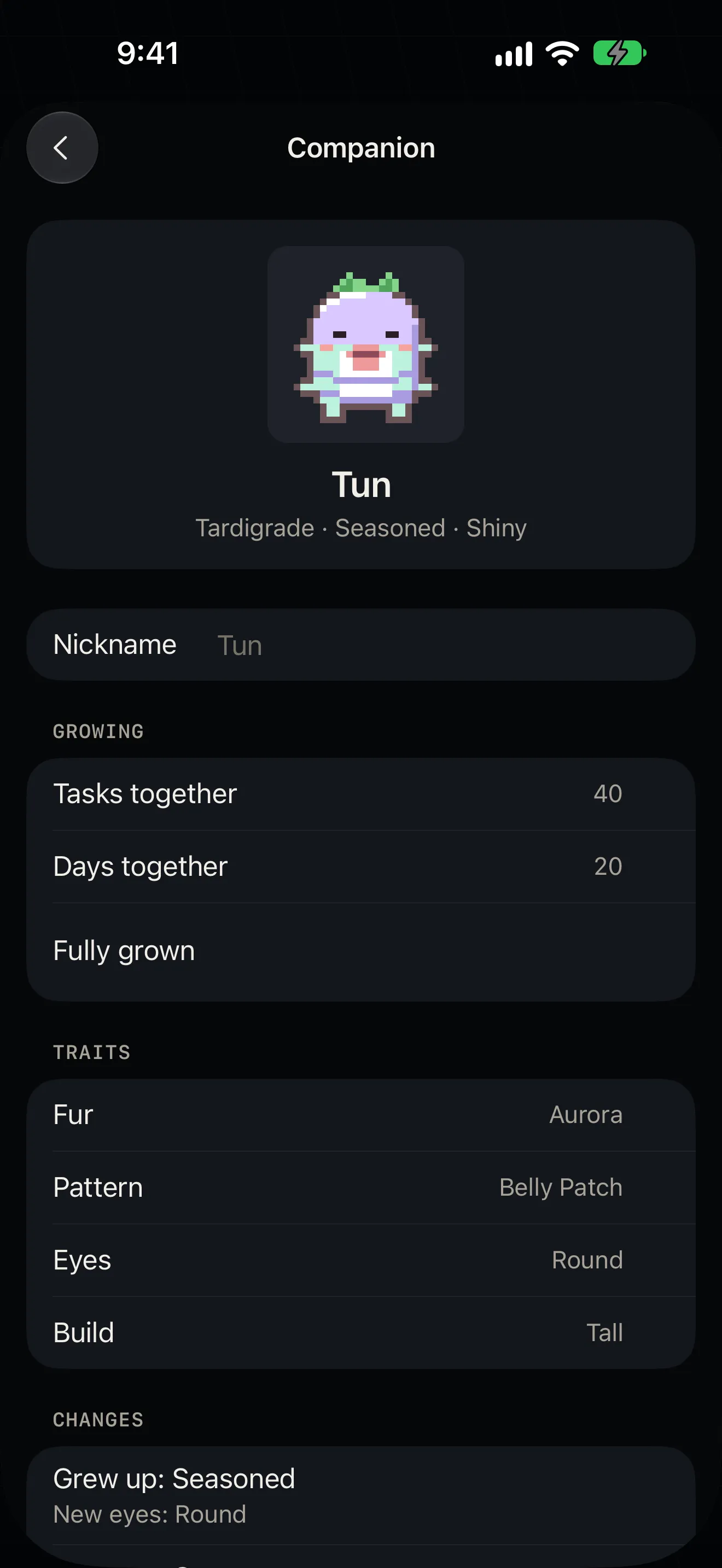
The tasks you finish together grow it through three stages, each changing how it looks. Rarely, one is shiny.
It becomes the icon
The app icon starts as the egg. Once yours has hatched, or grown into a new look, Home asks whether to make it your icon.
Where it shows up
- On Home, on the card of the agent that needs you most.
- On the Dynamic Island and the Live Activity.
- In Settings, on its own page: its name, how far it has grown, its traits.
- As each host’s face: with the companion on, faces become pixel creatures, drawn from the same host key.
Good to know
- It is decoration. It doesn’t change how anything connects, and it never asks for anything.
More features
Notifications
The agent asks. Your phone knows.
Home and Live Activity
Who is waiting, who is working, and for how long.
tmux and herdr
One pane at a time. Swipe to the next.
Files
Open the file your agent just made.
Agent tasks
A new task, on its own branch, from your phone.
Mosh
Walk out of the Wi-Fi. The session stays.
Terminal
A terminal first.
Voice input
Talk to your agent. The audio stays on the phone.
Jump host
Jump hosts, the way ssh ‑J does it.
Privacy and source